
Your API integrations can also be accessed by the 🤖 Agent Module.
To enable API integrations for your Agent, you must complete the Inputs for Agent tab in addition to the other configuration tabs described in previous chapters.
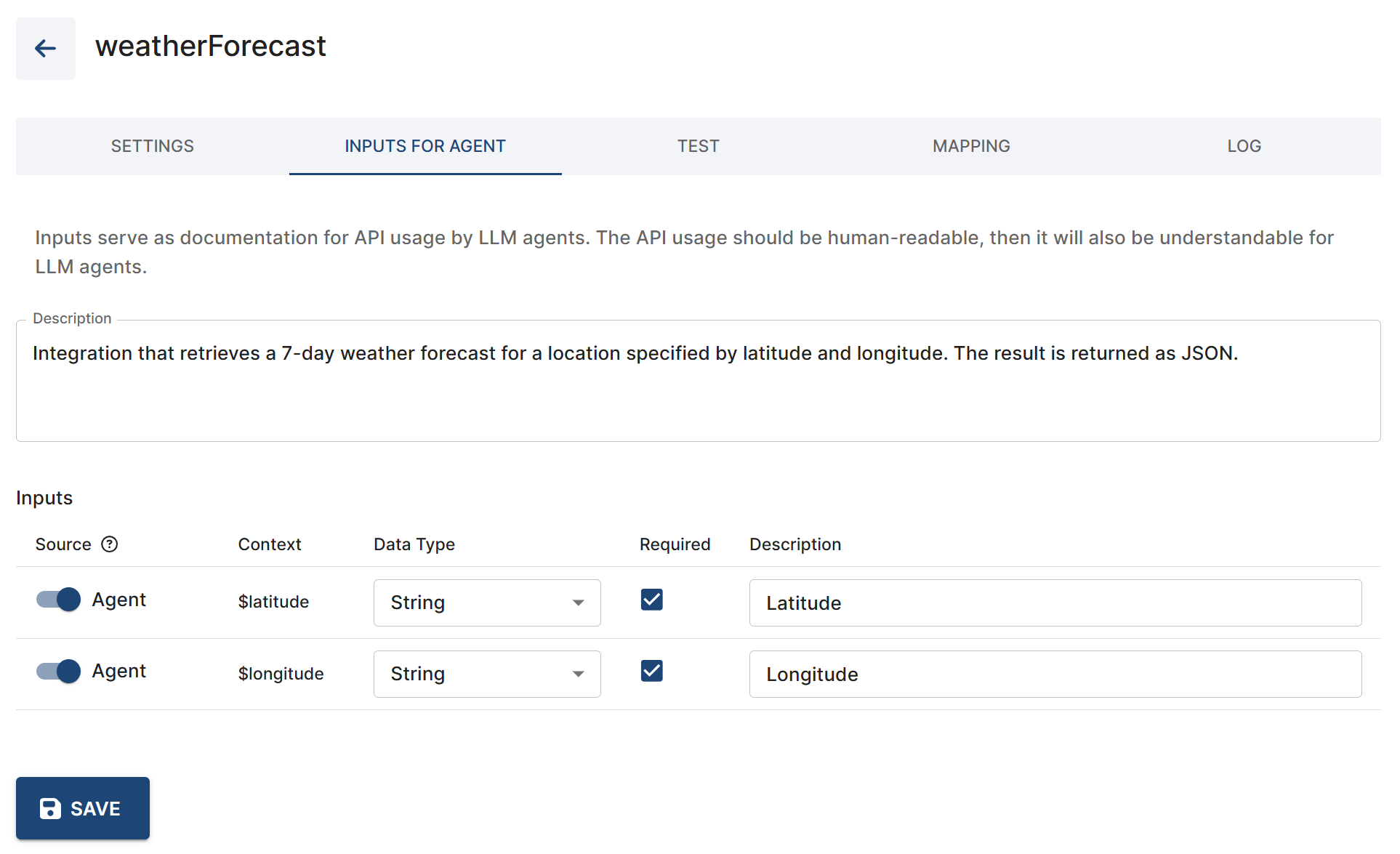
$latitude and $longitude information for this integration.
Defining API integrations for Agent
Key requirements:
-
1️⃣ Ensure the integration is functional on its own
-
Fill in all necessary data to fully enable the integration (see previous chapters). The integration must be functional by itself — without the Agent.
-
-
2️⃣ Provide a human-readable description
-
In the Inputs for Agent -> Description field, describe the integration clearly and naturally in “human words”. If the description is understandable to a human, it should also be understandable to the Agent.
-
-
3️⃣ Define the source of required input
$contextparameters-
🅰️ Discussion
-
When calling an API endpoint, these
$contextparameters are taken from the existing discussion (for example, from previous parts of the conversation, or from data loaded at the start of the session). These are the$contextsyou can already see under Discussion details, and they should exist before the Agent is used in the dialog flow. -
Alternatively, such contexts can be created by the pre-process code.
-
The Agent will not ask about these contexts, even if they are required for an integration but currently missing. You are “feeding” these contexts to the Agent — it will simply use them as they are, without reading or verifying their contents.
-
-
🅱️ Agent
-
You expect the Agent itself to collect the required information before calling the API endpoint.
-
The Agent will check for and request these contexts from the user if they are required for the dialog to continue.
-
If required contexts already exist in the discussion, the Agent can read and use them — but don’t forget to specify in the prompt which contexts the Agent should look.
-
If the required contexts don’t exist yet, the Agent can ask the user directly to provide them.
-
Example use case: The user mentions an order number at the start of the conversation, before the Agent module is used. Later, when the Agent starts and needs to call an intergration to retrieve order details, it:
-
Uses the existing context
$order_numberif it’s already available, or -
Asks the user for the order number if no such context exists.
-
-
-
-
-
The Agent dost not have access to all your contexts by default. If you need the Agent to use a specific context, you must explicitly tell it to do so.
-
The Agent can not “see” the values of contexts whose input source is set to
Discussion— it only uses them without reading the values. -
Conversely, the Agent can see the value if you let it collect and fill in a context by selecting the
Agentinput source. These contexts will be included and processed as part of the prompt before calling the integration.-
❗Never let the Agent act as the source for your API keys or access tokens by setting their source to
Agent— instead, provide these securely in the pre-process code, or generate them elsewhere in the dialog flow separately from the Agent and set their source toDiscussion.
-
Also see 🤖 Agent Module | %F0%9F%A4%96 Tools and API Integrations for more information on API integrations for the Agent.